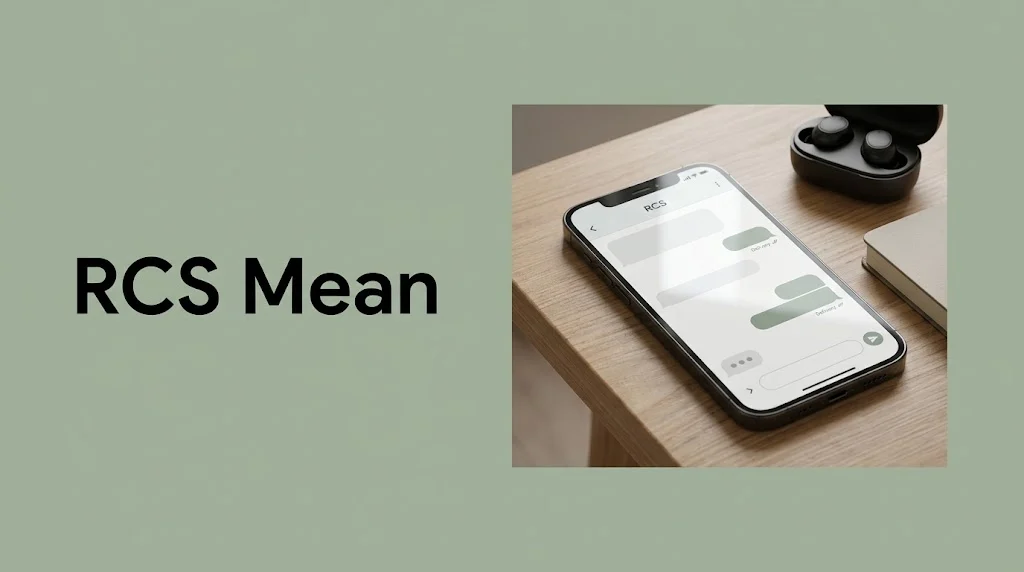
If you have opened Google Messages and noticed the letters RCS next to your text messages, you might wonder what they mean. Is RCS another texting abbreviation? Does it have something to do with social media slang? Or is it a new feature that changes how your messages work?
The answer is simpler than you might expect. RCS stands for Rich Communication Services. It is a modern messaging technology that makes texting more interactive by adding features such as typing indicators, read receipts, high-quality photo sharing, and better group chats.
If you are searching for what RCS means in Google text, you are probably seeing it in the Google Messages app on an Android phone. You may have noticed a message saying “RCS message,” “RCS chat,” or “RCS message with…” instead of the usual SMS label.
Don’t worry if the terminology seems confusing. In this guide, we will explain what RCS means, how it works, how it differs from regular text messages, and what the different RCS labels mean in everyday use. We will also cover privacy, internet requirements, compatibility, and common problems so you can understand exactly what is happening when you send a message.
What Does RCS Mean in Google Text?
RCS means Rich Communication Services, a messaging standard designed to make traditional texting more capable and convenient.
In Google Messages, RCS allows compatible phones and messaging services to exchange messages using an internet connection instead of relying only on the traditional SMS or MMS system.
Think of it as an upgraded version of texting.
With standard SMS, you can send basic text messages. MMS adds support for multimedia content, such as pictures and group messages, although its capabilities can be limited. RCS brings texting closer to the experience people expect from modern messaging apps.
Depending on device compatibility, carrier support, settings, and the messaging service being used, RCS can provide features such as:
- Typing indicators: See when the other person is typing.
- Read receipts: Find out when someone has read your message, if they have this feature enabled.
- High-quality media sharing: Send photos and videos with better quality than traditional MMS often allows.
- Improved group chats: Enjoy more interactive conversations with other compatible users.
- Message reactions: React to messages with emojis in supported conversations.
- Better message delivery information: See when a message has been sent, delivered, or read, depending on the available features.
The main thing to remember is that RCS is not a secret code or a texting slang term. It is a communication technology working behind the scenes.
For example, if you open Google Messages and see that your conversation uses RCS, it means the app is using an internet-based messaging service for that conversation rather than relying solely on traditional SMS.
What Does RCS Chat Mean on Android?
The term “RCS chat” refers to a conversation that uses Rich Communication Services.
You might see this wording when starting a conversation, opening a chat, or checking the messaging settings on your Android phone.
An RCS chat can offer a richer experience than a regular SMS conversation. For example, you might be able to see when someone is typing, share a high-resolution image, or receive a read receipt after the person opens your message.
Imagine you are texting a friend about weekend plans.
With ordinary SMS, you might send a message saying, “Are we still meeting at 6?”
With RCS, you could see your friend typing a reply before it arrives. After they respond, you may see a read receipt indicating that your message was read.
These features depend on both participants having compatible messaging services and the relevant options enabled.
It is also important to understand that RCS does not mean the other person is online or actively using their phone at every moment. A typing indicator may appear while they are composing a message, but a read receipt only tells you that the message was marked as read. It does not tell you why someone has not replied.
In short, RCS chat is simply a more feature-rich way to communicate through your messaging app.
How Does RCS Work in Google Messages?
RCS works through a compatible messaging service and an internet connection. Google Messages can use RCS when the feature is available and enabled on your device.
Here is a simple explanation of what happens when you send a message.
1. Your phone checks whether RCS is available
Your messaging app checks whether RCS is set up and available for your account, device, and conversation.
If both participants can communicate through compatible RCS services, the conversation can use RCS.
If RCS is unavailable for the conversation, your message may use SMS or MMS instead, depending on your settings and the circumstances.
2. Your message travels through an internet connection
When RCS is being used, messages are generally sent over Wi-Fi or mobile data.
This makes it possible to support richer features than traditional carrier text messages typically offer.
You do not necessarily need a mobile data connection if your phone is connected to a working Wi-Fi network.
3. The other person’s phone receives the message
The recipient needs a compatible messaging service and an active RCS setup to use RCS features in the conversation.
If the recipient cannot use RCS, your messaging app may offer a fallback option, depending on its settings and available network support.
4. Additional features become available
Once an RCS conversation is active, you may be able to use typing indicators, read receipts, reactions, and enhanced media sharing.
Not every feature is guaranteed in every conversation. The exact experience can vary by device, software, region, carrier, and the messaging service used by each person.
For most users, the process happens automatically. You do not need to understand the underlying technology to send a message.
RCS vs. SMS vs. MMS: What Is the Difference?
If you are new to Google Messages, it helps to understand the difference between these three messaging technologies.
| Feature | SMS | MMS | RCS |
|---|---|---|---|
| Basic text messages | Yes | Yes | Yes |
| Photo and video sharing | Limited or unavailable | Yes, with limitations | Yes, with richer media support |
| Typing indicators | No | No | Supported |
| Read receipts | No standard support | No standard support | Supported |
| High-quality media sharing | No | Often limited | Generally better supported |
| Internet connection | Not normally required | Not normally required in the traditional model | Wi-Fi or mobile data |
| Interactive group chats | Limited | Supported with limitations | More advanced features |
| Requires compatible RCS support | No | No | Yes |
Traditional SMS stands for Short Message Service. It is the familiar system used for basic text messages. MMS stands for Multimedia Messaging Service, which supports multimedia content such as images and videos.
RCS combines messaging with more modern features. However, the table describes general capabilities rather than guaranteeing that every phone or network will behave identically.
For instance, sending a photo through RCS may preserve more detail than sending it through MMS. But the final quality can still depend on file size limits, app settings, and how the recipient receives the image.
The practical difference is easy to remember: SMS is basic texting, MMS adds multimedia, and RCS offers a richer messaging experience.
How Can You Tell Whether a Message Is RCS or SMS?
Google Messages often provides clues about the messaging method used in a conversation.
One of the easiest ways to check is to open the conversation and look at the text box where you type your message.
Depending on the app version and settings, you may see wording such as:
- “RCS message”
- “Text message”
- “SMS”
- “RCS chat”
If the compose box says “RCS message,” it generally indicates that the conversation is set up to send messages through RCS.
If it says “Text message” or identifies SMS, the conversation may use traditional texting instead.
You can also check the RCS settings in Google Messages. Open the app, tap your profile picture or account icon, and look for Messages settings or a similarly named settings menu. Select RCS chats if that option is available.
The screen may show whether RCS is connected, connecting, or unavailable.
The exact wording and menu layout can change with app updates, so your phone may look slightly different from someone else’s.
One useful detail: seeing an RCS label does not mean that every message you have ever sent uses RCS. Different conversations can use different messaging methods, and the method may change if compatibility or connectivity changes.
What Does “RCS Message” Mean in the Text Box?
If you see “RCS message” inside the message field, it is usually an indication that your next message can be sent using RCS.
This is different from seeing a message that simply says “SMS” or “Text message.”
For example, imagine you are texting two different people.
Your conversation with one friend displays “RCS message.” You can share larger photos, see typing indicators, and use other supported features.
Your conversation with another person displays “Text message.” That conversation may be using SMS or MMS because the recipient’s phone or messaging service does not support RCS, or because RCS is unavailable for another reason.
Nothing is necessarily wrong with either conversation. They are simply using different messaging systems.
If you are unsure which method will be used, check the compose box before sending your message. You can also look at the message details after sending, although the available information varies by device and app version.
Does RCS Mean Someone Has Read Your Text?
Not by itself.
RCS supports read receipts, but the letters RCS do not indicate that a message has already been opened.
A few different indicators can appear in a compatible conversation:
- Sent: Your message has been sent by your messaging app.
- Delivered: The message has reached the recipient’s messaging service or device, as reported by the system.
- Read: The recipient’s messaging service has reported that the message was read.
The symbols and wording used to communicate these statuses can vary by app version and settings.
Read receipts also depend on the relevant feature being enabled. If the other person has turned off read receipts, you may not receive confirmation that they opened your message.
Similarly, delivery does not guarantee that the recipient has seen the message. Their phone may have received it while they were busy, away from the device, or simply not looking at their messages.
This is why it is best not to interpret a missing read receipt as proof that someone is ignoring you.
RCS provides more information about the delivery process, but it cannot explain another person’s intentions.
Can You Use RCS Without Wi-Fi?
Yes. You can generally use RCS over mobile data or Wi-Fi.
You do not need both connections at the same time. A working Wi-Fi connection can be enough, even if mobile data is turned off.
Likewise, a working mobile data connection can allow RCS to operate when Wi-Fi is unavailable.
However, a few conditions must be met:
- RCS must be supported by your messaging service and device.
- The feature must be activated and connected.
- You must have a working internet connection.
- The other participant must be reachable through a compatible messaging service for the conversation to use RCS.
If your internet connection stops working, RCS messages may fail to send or remain pending until connectivity returns. Whether a message falls back to SMS depends on your app settings and the options available.
Keep in mind that using mobile data may count toward your data allowance. Wi-Fi can be useful if you want to avoid using mobile data for internet-based messaging.
Traditional SMS, by comparison, does not normally require mobile internet, although carrier service and other conditions still apply.
Is RCS Free to Use?
RCS generally does not charge a separate fee for each message in the way some traditional SMS plans charge for text messages. However, that does not mean every RCS message is completely free under all circumstances.
RCS uses an internet connection, so mobile data charges may apply according to your phone plan.
If you use Wi-Fi, the messages usually do not consume your mobile data allowance, although your internet provider may charge for the connection itself.
The exact cost depends on your mobile plan, carrier, country, and connection type.
For example, someone with an unlimited data plan may not notice any additional cost when sending RCS messages over mobile data. Someone with a limited data allowance should still be mindful of internet usage, especially when sharing photos and videos.
Before assuming that messaging is free, check your carrier’s terms if you are concerned about charges.
For most everyday users, RCS can be a convenient alternative to traditional texting, particularly when both people have compatible services and internet access.
Is RCS Safe and Private?
RCS can support security features, including end-to-end encryption in eligible conversations. However, it is important not to assume that every RCS conversation has the same level of protection.
In Google Messages, end-to-end encryption is available for eligible RCS conversations when the required conditions are met. Availability can depend on the participants’ devices, apps, and conversation setup.
When end-to-end encryption is active, the message content is designed to be readable only by the participants’ devices, rather than by intermediaries handling the message.
If encryption is unavailable, the conversation may still use RCS without that additional protection.
Look for the encryption indicator or other security information in your messaging app when privacy matters. Google Messages may display a lock symbol in eligible encrypted conversations.
There are a few practical steps you can take to protect yourself:
- Keep Google Messages and your phone’s operating system updated.
- Use a secure screen lock.
- Avoid sharing passwords, verification codes, or sensitive financial details in ordinary messages.
- Verify a person’s identity before sending private information.
- Check the encryption status of a conversation if you need end-to-end protection.
It is also worth remembering that encryption does not prevent someone from taking a screenshot, forwarding information they receive, or accessing messages on an unlocked device.
RCS can provide a secure messaging experience, but good privacy habits still matter.
Does RCS Work Between Android and iPhone?
RCS can support messaging between Android phones and iPhones, but the experience depends on software versions, carrier support, regional availability, and the messaging services involved.
Apple introduced RCS messaging support with iOS 18. This allows compatible iPhones to exchange RCS messages with supported Android devices and networks.
When cross-platform RCS is available, users can benefit from features such as improved photo and video sharing, typing indicators, read receipts, and better group messaging compared with traditional SMS or MMS.
However, not every feature is necessarily identical across Android and iPhone. The available experience can depend on the current operating system, carrier implementation, and the specific conversation.
It is also important to distinguish RCS from iMessage.
iMessage is Apple’s messaging service, commonly associated with blue message bubbles between Apple devices. RCS is a separate messaging standard that can work across supported Android and iPhone devices.
On an iPhone, RCS conversations generally appear as green-bubble messages, just as SMS and MMS do. A green bubble alone therefore does not tell you which of those messaging methods is being used.
If you are texting an iPhone user and do not see RCS features, check whether the phone and carrier support RCS and whether the feature is enabled. The recipient’s software version may also affect compatibility.
Why Is RCS Not Working in Google Messages?
Sometimes RCS stops connecting, displays a status message, or fails to send a message. This can happen for several reasons, and it does not automatically mean your phone is broken.
Here are common causes and practical ways to troubleshoot them.
1. Your internet connection is unavailable
RCS relies on internet connectivity. If your Wi-Fi or mobile data connection is unstable, messages may remain pending.
Try opening a website to confirm that your connection is working. If it is not, reconnect to Wi-Fi or mobile data and try again.
2. RCS is not enabled
RCS may be switched off in Google Messages.
Open the app, tap your profile icon, and go to the messaging settings. Look for RCS chats and check whether the feature is enabled.
If it is disabled, follow the on-screen instructions to activate it.
3. RCS is still connecting
Sometimes the service needs time to verify your phone number or establish a connection.
Check the status in the RCS settings. If it says “Setting up” or “Connecting,” follow any instructions shown in the app.
If the status remains stuck for an extended period, check that your phone number is correct and that your device can receive verification messages where required.
4. The other person does not have RCS
You cannot assume every contact can receive RCS messages.
If the recipient uses a messaging app or device without compatible RCS support, your conversation may use SMS or MMS instead.
This is normal and does not necessarily indicate a problem with your phone.
5. Your messaging app needs an update
An outdated app can sometimes cause compatibility or connection problems.
Visit the Google Play Store, check for an update to Google Messages, and install it if one is available.
It may also help to restart your phone after updating.
6. Your carrier or region does not support the service
RCS availability can depend on your carrier, country, device, and service provider.
If you have tried the usual troubleshooting steps and RCS still will not connect, check Google’s support information or contact your carrier to confirm whether RCS is supported for your setup.
Avoid repeatedly switching settings without understanding what they do. In particular, if you are troubleshooting after changing phones, check Google’s current guidance before disabling RCS on an old device, as registration and message delivery behavior can depend on your situation.
Can You Turn RCS Off in Google Messages?
Yes. If you prefer traditional texting or are troubleshooting a problem, you can usually turn RCS off through Google Messages settings.
Open Google Messages, tap your profile icon, and select the settings menu. Look for RCS chats and use the available control to turn the feature off.
The exact steps may differ slightly depending on your app version.
After disabling RCS, your messages may use SMS or MMS when supported. Some features, such as typing indicators, read receipts, and enhanced media sharing, may no longer be available.
Before turning RCS off, consider why you want to disable it.
If your messages are not sending, checking your internet connection and RCS status may solve the problem without changing the messaging method.
If you have switched phones and are no longer receiving messages correctly, follow the official troubleshooting instructions for your device and account rather than assuming that turning RCS off is always the right fix.
Remember that turning off RCS changes how your messages are sent. It does not delete your existing conversations automatically.
What Happens If One Person Has RCS and the Other Does Not?
If one person has RCS enabled and the other does not, the conversation may fall back to SMS or MMS.
For example, imagine you use Google Messages on an Android phone with RCS enabled. Your friend uses a phone or messaging service that does not support RCS.
You may not be able to use RCS features in that conversation. Instead, your messaging app may send a traditional text message.
This is why the same phone can display RCS for one contact and SMS for another.
It is also possible for RCS availability to change over time. Someone might switch devices, disable RCS, lose internet connectivity, or use a carrier that handles the service differently.
If a conversation suddenly stops showing RCS features, check the connection and the recipient’s compatibility before assuming that anything unusual has happened.
Common Misunderstandings About RCS
Because RCS is a technical term, it is easy to misunderstand what it tells you. Here are a few common misconceptions.
RCS is not a secret texting abbreviation. It stands for Rich Communication Services, a messaging standard rather than a slang expression.
RCS does not mean someone has read your message. Read status is a separate feature, and it depends on supported settings and the recipient’s messaging service.
RCS does not require Wi-Fi specifically. A working mobile data connection can also support it.
RCS is not the same as iMessage. They are different messaging systems, although RCS can support conversations between compatible Android phones and iPhones.
RCS does not guarantee end-to-end encryption in every conversation. Check the encryption status when you need to know whether a particular conversation is protected.
RCS is not always available for every contact. Compatibility and service availability determine which messaging method can be used.
Understanding these points makes it easier to interpret what Google Messages is showing you without drawing the wrong conclusions.
Frequently Asked Questions About RCS in Google Text
What does RCS stand for in texting?
RCS stands for Rich Communication Services. It is a messaging technology that supports advanced features such as typing indicators, read receipts, improved media sharing, and interactive group conversations.
What does RCS mean on a Samsung or Android phone?
On a Samsung or other Android phone, RCS generally refers to Rich Communication Services. The feature may be available through Google Messages or another compatible messaging app, depending on your phone and service provider.
Is RCS the same as texting?
RCS is a form of messaging, but it is more advanced than traditional SMS. It uses an internet connection and can offer features such as read receipts and high-quality media sharing.
Does RCS mean my message was delivered?
No. RCS identifies the messaging technology, not the delivery status of a particular message. Check the delivery indicator in the conversation to see whether the message was reported as delivered.
Can someone see when I read an RCS message?
They may be able to see when you read a message if read receipts are enabled and the conversation supports that feature. You can generally manage read receipts in Google Messages settings.
Does RCS work without mobile data?
Yes, if you have a working Wi-Fi connection. RCS needs internet connectivity, but that connection does not have to come from your mobile data plan.
Why does my phone switch between RCS and SMS?
This can happen when RCS is unavailable, the recipient does not support it, or the service loses connectivity. Your messaging app may use SMS or MMS as an alternative, depending on your settings.
Is RCS better than SMS?
For many everyday conversations, RCS offers more features than SMS, including improved media sharing, typing indicators, and read receipts. SMS can still be useful because it does not normally require mobile internet and works with a broader range of phones.
Can I turn off RCS and still send text messages?
Yes. When RCS is disabled, you can generally continue sending messages through SMS or MMS if those services are available. However, advanced RCS features will no longer be available in those conversations.
Final Thoughts: What Does RCS Mean in Google Text?
RCS stands for Rich Communication Services, and it is designed to make everyday texting more useful. In Google Messages, it can enable features such as typing indicators, read receipts, improved photo and video sharing, and richer group chats.
The key difference is that RCS uses an internet-based messaging service, while traditional SMS relies on the mobile carrier’s text messaging system. RCS availability depends on compatible devices, settings, networks, and the messaging services used by the people in a conversation.
If you see “RCS message” in Google Messages, there is usually no reason to worry. It simply means the app is ready to use, or is using, a more advanced messaging method for that conversation.
If something is not working, check your internet connection, confirm that RCS is enabled, and make sure your app is up to date.
Once you understand the basics, RCS becomes much less confusing. It is not a mysterious code or a new piece of internet slang. It is simply a modern way to make texting feel more like the messaging apps people already use every day.
Discover more post
What Does NSV Mean in Text? 2026
What Does Icy Mean in Text? 2026
What Does ID Mean in Text Slang? 2026

Ari is a passionate digital content creator, humor writer, and online storytelling expert behind MeanlyGuru.com. With years of experience in SEO writing, content strategy, and lifestyle blogging, Ari delivers relatable, engaging, and highly shareable content that resonates with readers worldwide.